Everything a media center should do, and a few things none do.
Lumen plays what you bring, from addons, your TV subscription, your servers and your own folders, and makes every screen in the house feel like the same one.
A player that handles what you give it.
Lumen’s own build of mpv and FFmpeg carries every LGPL decoder, so a remux plays its lossless track and a 4K file decodes on the graphics chip.
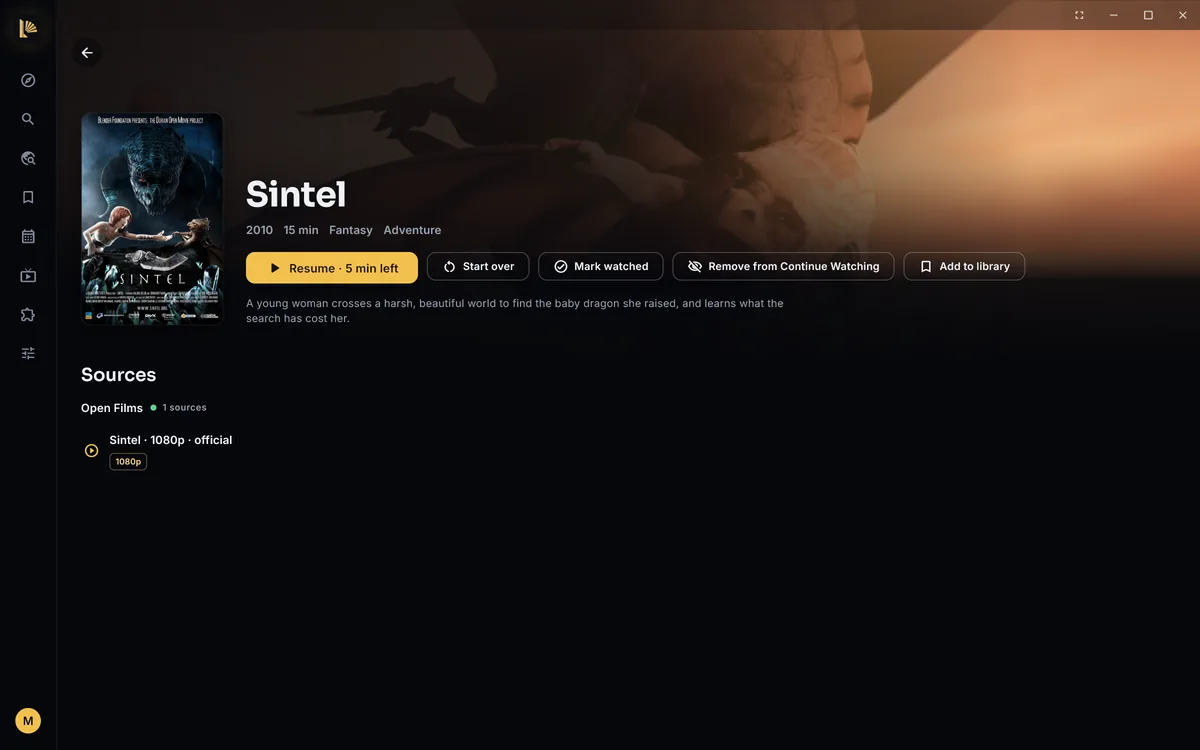
Passthrough to your receiver
Dolby and DTS, Atmos and DTS:X included, go to an AV receiver or soundbar untouched.
TrueHD and Atmos tracks play
Lossless tracks other players skip play on Windows and Android, or decode to the speakers you have: stereo, 5.1 or 7.1.
Match frame rate
On Android TV the screen switches to the film’s frame rate for smooth motion.
Night mode and Even out volume
Loud scenes come down, quiet dialogue comes up, and levels stay steady from one title to the next. On Windows for now.
Skip intro and recap
A Skip button during openings and recaps, from community timestamps and the file’s chapters. Up next appears when the credits start.
Thumbnails on the seek bar
Hover or drag the bar on Windows to see the frame you’re about to jump to.
Crop black bars
A wide film fills an ultrawide screen: Lumen finds the bars itself and remembers the choice.
Picture in picture
On Android phones and tablets, a video keeps playing in a small window when you leave the app.
Your own keyboard shortcuts
The player’s actions have keys on Windows, and you choose which. The media keys work too.
Subtitles that sort themselves out.
Pick your languages once. Lumen finds subtitles, puts them in sync, and when a title has none, writes them.
Made on your device
When a title has no subtitles in your language, Lumen listens and writes them on your own computer, and translates them. Nothing is uploaded.
Out of sync? Fixed in a moment
Sync automatically listens to the dialogue and moves the subtitles into place, on your device.
Found for you
When the file has no track in your language, the best match from your subtitle addon loads on its own.
Blu-ray and DVD subtitles
Image subtitles (PGS and VobSub) show, and styled anime subtitles keep their fonts, colours and positions.
Your size, colour and height
White, yellow or cyan, an outline if you like, and raised away from the bottom edge.
Audio languages too
A list of spoken languages beside the subtitle one: dubbed or original becomes a preference, not a choice every time.
Your TV subscription, with a proper guide.
Sign in with your provider, or add a playlist or a portal, and Live TV gets its own tab: every channel, the guide, catch-up, pause and rewind, and recordings.
Any size of provider
A provider with 55,000 channels opens in seconds and scrolls smoothly.
Catch-up and Watch from the start
Programmes that already aired play from your provider’s archive.
Record a programme or a series
From your provider’s archive once a programme has aired, when it keeps one, so you don’t have to be tuned in.
Everything you watch, from wherever it lives.
Lumen ships no content. It plays from the addons you choose, your own servers and your own folders, and picks the best source for you.
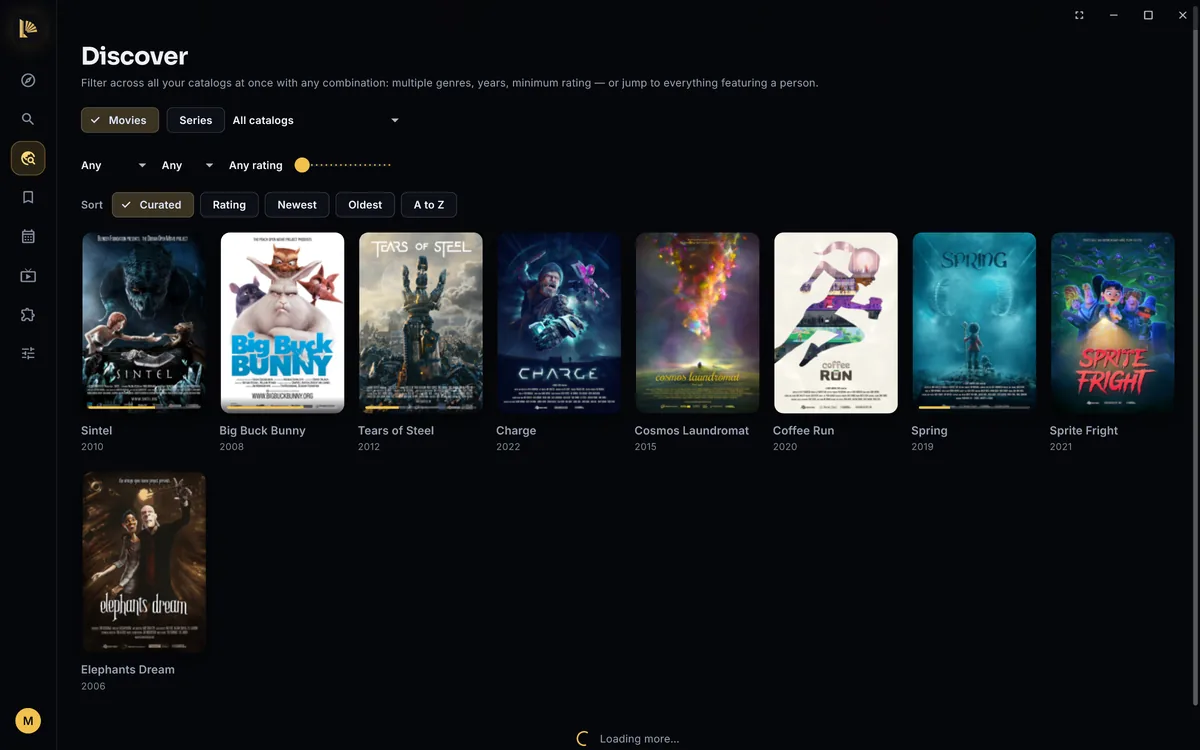
Addons
The open addon protocol: install any addon by its link, see what it provides first, and order them.
Plex, Jellyfin and Emby
Your server as a source, with your libraries on Home.
Media servers on your network
DLNA servers at home, found on their own. Browse and play, no account.
Network folders
A folder on a NAS or another computer becomes part of your library, on Android TV too.
Your own films and shows
Folders on this computer, listed with posters, episodes in order, and your place kept.
The right source, chosen for you
Your languages, verified files over unknown ones, and the same release as your last episode. Lumen reads what a file really contains.
What you’re part-way through, and what comes next.
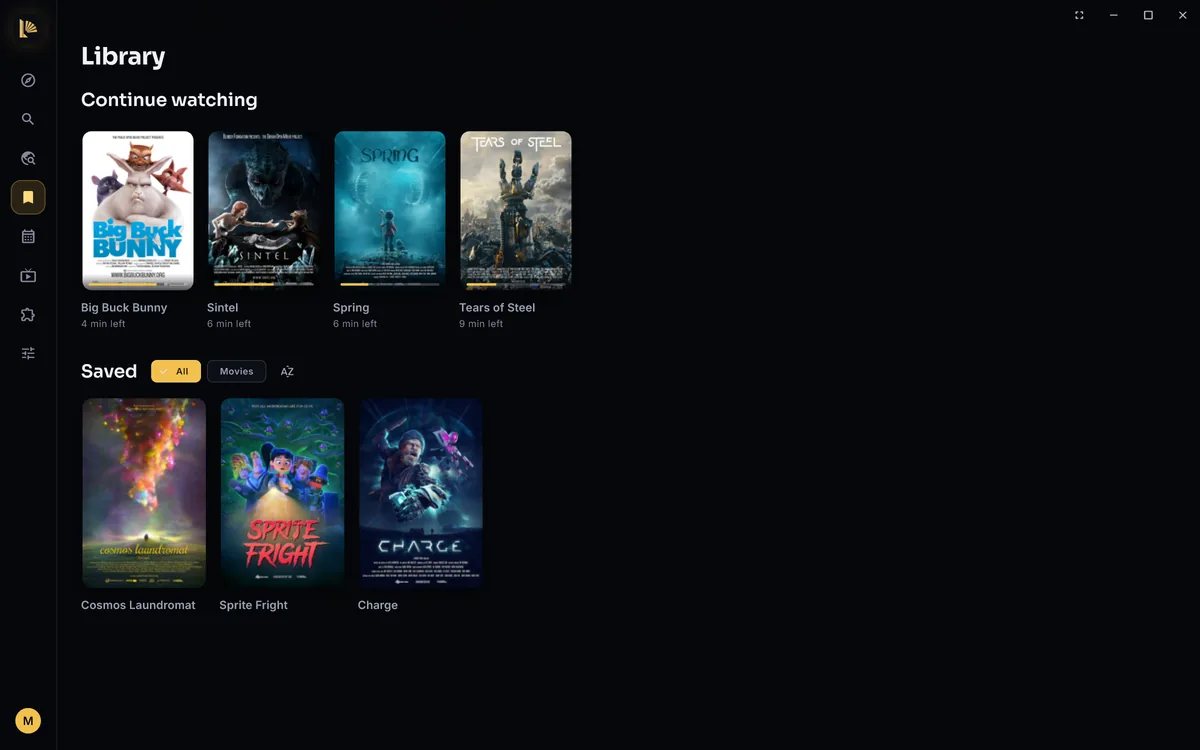
Continue watching
Your place in every film and episode, with the next episode queued when you finish one.
Saved titles
Save from any poster, filter by type and sort the way you like.
Calendar and new episode alerts
New episodes of the series you follow and your films’ release dates, day by day, with a card when one comes out.
Search everything at once
Every addon and your Live TV channels answer the same search, and results appear as each one replies.
Discover
Genres, years and ratings, with a tab for every kind of content your addons offer.
Downloads and Keep episodes ready
Download for offline, or let Lumen keep the next episodes ready and tidy them away once watched.
One app for everyone at home.
Profiles
Everyone gets their own Continue watching, library, languages and Home rows. Lumen asks “Who’s watching?”.
Kids profiles and PINs
A kids profile uses only the addons you pick, has no Settings, and can be locked with a PIN.
Adult content is a switch
Off until you turn it on, per profile. Kids profiles never see it.
Sync without an account
Library, progress and settings follow you to every device, end-to-end encrypted.
Watch together
Share a code and friends play, pause and seek in step with you, each on their own source.
Trakt, once for the household
Connect Trakt on one device and every device scrobbles, each profile to its own account.
Start anywhere. Finish anywhere.
Built for the remote
On Android TV every page starts with something selected, and four arrows and OK reach everything.
Cast to your TV and Chromecast
Play on smart TVs with DLNA and on Chromecast or Google TV, with a remote in Lumen. No Google account needed.
Your phone as a remote
Pair it with a PIN, drive the TV, and type a search on the phone instead of the remote.
Open any file
Drop a video on the window or choose Lumen under Open with; Lumen remembers where you stopped.
Links to a moment
Copy a link that opens the title in Lumen, ready to play from 1:23:45.
Why won’t this play well?
The player’s statistics start with plain sentences about what is going wrong, and what to try.
Bring everything you already have.
Import from Stremio
Your addons in their order, your library and your watch progress. The password goes straight to Stremio and is never stored.
Import a Trakt export
Watched history and watchlist from the ZIP Trakt gives you, without setting up a Trakt app.
Backups
One file with your whole library, progress, addons and settings, restored in one step.
In 26 languages, every word of it.
Pick one under Settings, or follow your system. Dates and numbers follow too.
Ready when you are.
Free on every device, no account to make, and installed in a minute.