Your library.On your terms.
A free media center for Windows, Android and Android TV, with macOS and iOS in preview. Choose your addons, customise playback, and sync privately.
- Windows
- Android
- Android TV
- macOS
- iOS
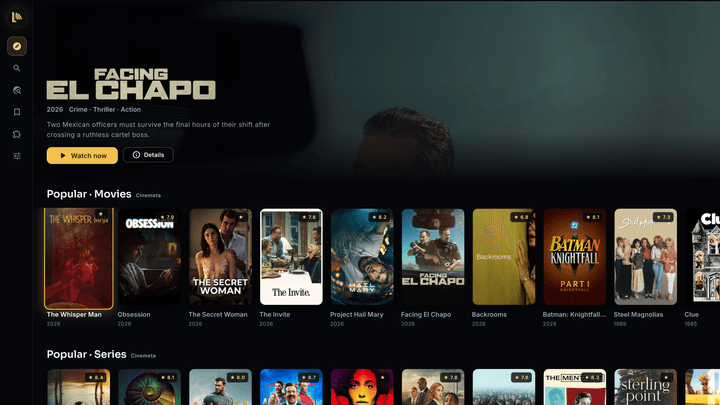
Your library travels.Your history stays private.
Pair your devices with one code. Your library, watch progress and settings stay in sync, encrypted on your device.
How private sync works- No Lumen account
- End-to-end encrypted
- Self-hosting available
Choose your addons.Build your library.
Lumen starts with metadata and subtitles. Add the sources you trust with a manifest link, and bring their catalogs into your library.
How addons work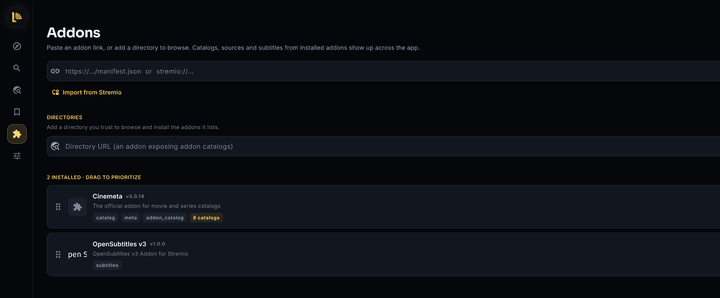
The Addons screen in Lumen, shown on Windows.
Cinemeta and OpenSubtitles are included. Content sources are yours to add.
The playback details, handled.
Explore all features-
Picture and sound
Hardware decoding on Windows and Android. TrueHD, Dolby Atmos and DTS audio support on Windows.
-
A little fine-tuning
Choose audio and subtitles, adjust their timing, and set the playback speed.
-
In your language
26 interface languages. Localized descriptions when you connect TMDB.
Make it yours.
Choose your platform. Add your sources. Start watching.
Lumen 1.0.4 · released September 16, 2026
Make every screen feel like home.
Your library, progress and settings stay together. Lumen Pass takes care of hosted sync for your whole household.
14 days free · No card · No subscription